
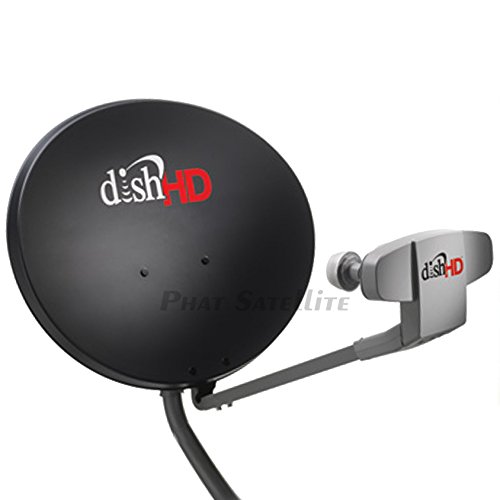
Can You Use Your DStv Dish for Internet? Unlocking the Potential of Your Satellite Dish
Recommended Product:
Many DStv subscribers wonder if their existing satellite dish can be repurposed for internet access. The short answer is: potentially, yes, but not directly. Your DStv dish receives television signals, while internet access requires a different technology and infrastructure. This article will explain the possibilities and guide you through the process.
Understanding the Difference: Satellite TV vs. Satellite Internet
Your DStv dish receives signals from geostationary satellites broadcasting television content. Satellite internet, on the other hand, uses a two-way communication system. This means it requires not only a dish to receive data from a satellite but also the ability to send data back up. Your standard DStv dish is a one-way system, designed only for receiving signals.
So, How Can I Use My Dish for Internet?
You can’t simply plug your internet modem into your DStv dish. To access the internet via satellite, you need a specific type of satellite internet service and appropriate equipment. This typically involves:
- Choosing a Satellite Internet Provider: Research providers in your area that offer satellite internet. Coverage and availability vary greatly depending on location and the provider’s satellite network.
Recommended Product:
- Professional Installation: Do not attempt to install satellite internet equipment yourself unless you have significant experience with satellite technology and electrical work. Improper installation can lead to poor performance, signal loss, and even damage to your equipment. A qualified technician will align your dish precisely for optimal signal reception, which is crucial for speed and reliability. This often involves a different dish size and positioning than your existing DStv dish.
- Dedicated Modem and Router: You’ll need a modem specifically designed to work with the satellite internet provider’s network. This is different from your existing DStv decoder. The modem then connects to a router to distribute the internet signal to your devices.
- Sufficient Bandwidth: Satellite internet speeds vary significantly, so carefully check the advertised speeds and data caps before signing up. Higher speeds generally require larger dishes and more powerful equipment.
Tips for a Smooth Transition:
- Check for Line-of-Sight: Your satellite dish needs a clear, unobstructed view of the satellite. Trees, buildings, or even strong winds can interfere with the signal.
- Understand the Costs: Satellite internet can be more expensive than other internet options, especially in terms of initial setup and monthly fees. Factor this into your budget.
- Consider Data Limits: Many satellite internet plans have data caps. Monitor your usage to avoid exceeding your limit and incurring extra charges.
- Patience is Key: Satellite internet can experience latency (lag) compared to other technologies.
Common Mistakes to Avoid:
- Attempting DIY Installation: As mentioned earlier, this is extremely risky and can lead to poor performance or equipment damage.
- Ignoring Line-of-Sight Issues: Failing to ensure a clear view of the satellite will severely impact your internet speed and reliability.
- Not Reading the Fine Print: Carefully review your service contract for data caps, costs, and any other limitations.
In Conclusion:
While you can’t directly use your DStv dish for internet, you can utilize satellite internet technology. However, this requires a separate setup involving a different dish, modem, router and a dedicated satellite internet provider. Professional installation is highly recommended to guarantee optimal performance and avoid potential problems. By following these steps and avoiding common mistakes, you can successfully explore the possibility of satellite internet and potentially enjoy reliable internet access at your home.
Recommended Product:
FAQ
Q. Can I use my DStv dish for internet access?
A. No, a standard DStv satellite dish cannot be used to receive internet. DStv dishes receive television signals via satellite, a completely different technology than internet access which typically uses terrestrial networks (fiber, cable, DSL) or satellite internet services requiring specific hardware and a different type of satellite connection.
Q. Are there any DStv services that offer internet?
A. While DStv primarily focuses on television broadcasting, some DStv providers might offer bundled internet packages in conjunction with their television subscriptions. This would involve separate infrastructure and not repurposing the DStv dish itself for internet connectivity. You’d need to check with your specific DStv provider to see what bundled services are available in your area.
Q. Can I use a satellite internet service with my existing DStv dish?
A. Probably not. Even if you’re using satellite internet, you’ll almost certainly need a different dish. Satellite internet services usually use different frequencies and require specialized equipment designed to communicate with their specific satellites. Your DStv dish is likely incompatible with the technical specifications needed for satellite internet.
Q. I heard someone saying they use their DStv dish for the internet – is that possible?
A. It’s highly unlikely. While it’s possible someone is mistakenly claiming this, it’s almost certainly inaccurate. A DStv dish’s purpose is solely to receive television signals, and it lacks the necessary technology to receive and transmit internet data. They may be confusing it with a bundled package from their provider.
Q. What are my options for internet access if I live in a remote area with poor terrestrial connectivity?
A. If you live in a remote area with limited internet options, you’ll likely need to explore satellite internet services. These services require a specialized satellite dish and subscription to a provider. This is a separate service from your DStv subscription and requires a separate installation. Alternatively, investigate the availability of other technologies like fixed wireless broadband in your location.
Q. Is there any way to modify my DStv dish to receive internet?
A. No. Attempting to modify your DStv dish to receive internet is not only unlikely to work but could also damage the equipment and potentially be dangerous. The technologies are fundamentally different, and there’s no practical or safe way to bridge the gap.
Related Articles
What is the Best WiFi Router for Streaming
Streaming is basically a way of live now, right? Whether you’re glued to a 4K movie marathon, hopping on a video call, or battling it out in an online…
How to Set Up Wi-Fi Mesh System: A Complete Guide for Flawless Home Coverage
Buffering videos, dropped Zoom calls, and dead zones in your home? If your Wi-Fi struggles to keep up with modern life, a mesh network might be the up…
How to Fix a Wi-Fi Router That is Not Connecting to Wireless Keyboard
How to fix a wi-fi router not connecting to a wireless keyboard, check if the keyboard is properly paired with the router. If not, re-pair the devices…




Leave a Reply
You must be logged in to post a comment.