
Internet Setup:
Now I will show how to Linksys Router configuration. We can use WiFi and Local Area Network with Linksys Router.we will take from ISP( IP, GW, Subnet mask, and DNS) or user name and Password or DHCP system. if ISP is giving us ( IP, GW, Subnet mask and DNS) then we will configure this system are given below :
Now we configure statically: at first, we browse Gateway (such as 192.168.1.1) in any browser and press user name=admin, password=admin.
step1: Basic setup > select static IP =192.168.1.12, subnet mask=255.255.255.0,Gateway=192.168.1.1 and
DNS1=202.191.120.3,DNS2=202.191.127.2,DNS3=8.8.8( ISP will give IP,Subnet mask, Gateway) put in the router
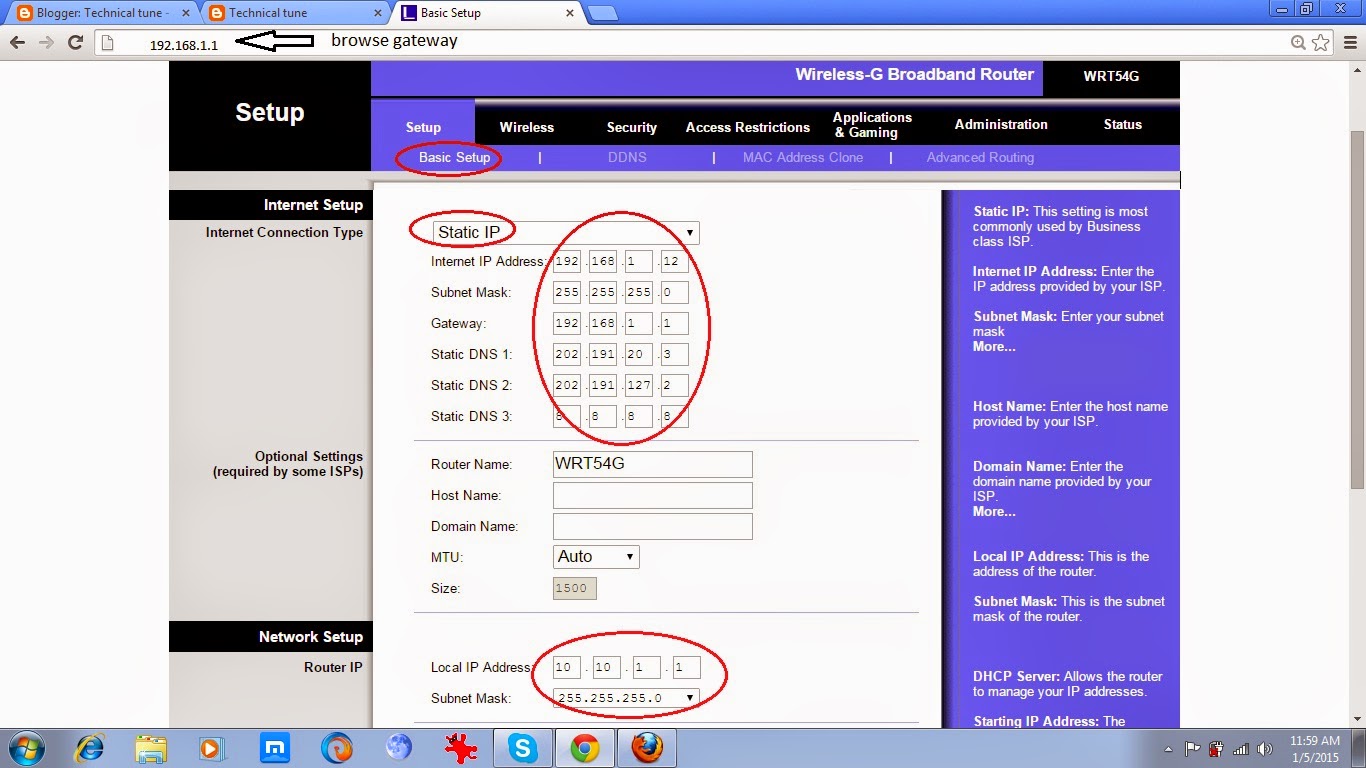
step2: put Local IP Address=10.10.1.1 and subnet mask=255.255.255.0 > DHCP Server Enable > save settings

step3: Local Network select >put Local IP Address=10.10.1.1 and subnet mask=255.255.255.0 > DHCP Server Enable > save settings. “we can apply for start IP address=10.10.1.2 and End IP Address=10.10.1.100 it is not mandatory”. now it is ready for Local Area Network.

WiFi configuration:
step1: Click wireless > Wireless Network Mode= Mixed > SSID=Black Dimond WiFi Zone( you can any name) > wireless channel =6-2.437GHz > wireless SSID Broadcast Enable > save settings
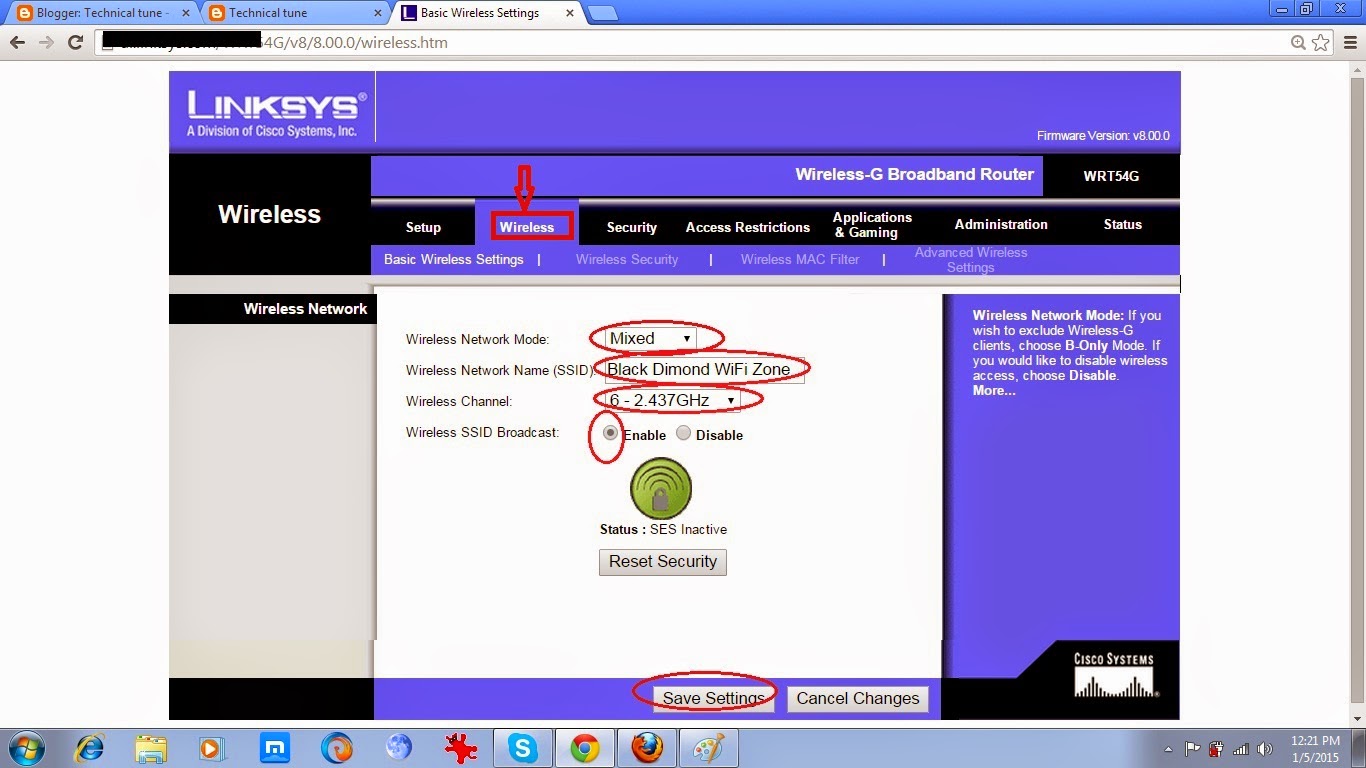
step2: wireless security > security mode=WPA Enterprise, Password=corollasmitth582 > save settings. now we can use Internet with WiFi.





Leave a Reply
You must be logged in to post a comment.