
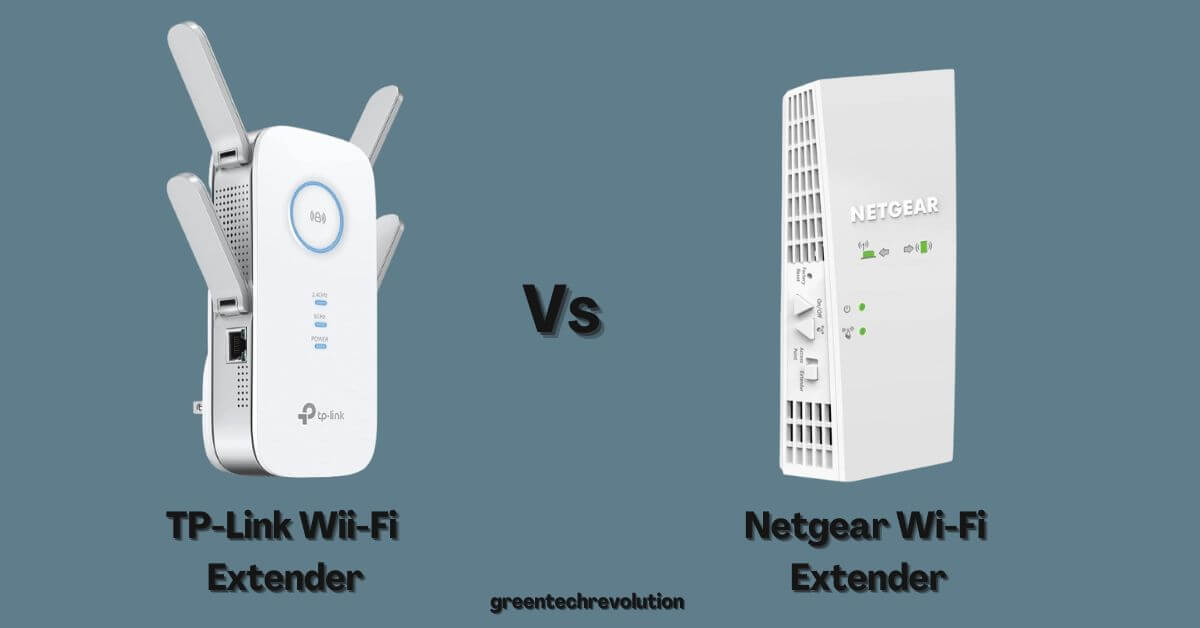
TP-Link Vs Netgear WiFi Extender: Which One Should You Choose?
In today’s fast-paced digital world, having a strong and reliable WiFi connection is essential. Unfortunately, many users experience dead zones or weak signals in certain areas of their homes or offices. WiFi extenders are a popular solution to help boost the WiFi signal, eliminating these problematic areas. In this blog post, we will compare two popular WiFi extenders – TP-Link and Netgear – to help you decide which one is the best fit for your needs.
Overview of TP-Link and Netgear WiFi Extenders
TP-Link and Netgear are two well-known brands in the networking industry, offering a variety of WiFi extenders with different features and capabilities. Both brands provide solutions for various budgets and use cases, ranging from basic models for small apartments to more advanced models for larger homes or offices.
Comparison Table: TP-Link vs. Netgear WiFi Extender
| Feature | TP-Link | Netgear |
| Price Range | $20 – $120 | $30 – $180 |
| Speed Range | Up to 300Mbps – 2600Mbps | Up to 300Mbps – 3000Mbps |
| Frequency Bands | Single-band and Dual-band options | Single-band and Dual-band options |
| Setup | Easy setup via Tether app or web interface | Easy setup via Nighthawk app or WPS button |
| Design | Wall-plug, desktop, and mesh options | Wall-plug, desktop, and mesh options |
| Ethernet Ports | Models with 1-4 Gigabit Ethernet ports | Models with 1-4 Gigabit Ethernet ports |
| Advanced Features | Some models include Beamforming, MU-MIMO | Some models include Beamforming, FastLane |


Performance
Both TP-Link and Netgear offer WiFi extenders with a range of speeds, catering to various user needs. In general, Netgear extenders tend to provide slightly higher maximum speeds compared to TP-Link. However, the actual performance of the extender will depend on factors such as your existing router’s capabilities, the layout of your space, and potential interference from other devices.
Setup and Ease of Use
Both TP-Link and Netgear WiFi extenders are designed for easy setup and installation. TP-Link extenders can be configured through their Tether app or via a web interface, while Netgear extenders can be set up using the Nighthawk app or by pressing the WPS button on the extender. The setup process for both brands is generally straightforward, and both offer 24/7 customer support in case you encounter any issues.
Design and Aesthetics
TP-Link and Netgear offer a variety of WiFi extender designs, including wall-plug, desktop, and mesh-style extenders. Wall-plug extenders are compact and plug directly into an electrical outlet, while desktop extenders have a more substantial design and may offer additional Ethernet ports. Mesh extenders are designed to work seamlessly with compatible mesh routers, providing whole-home WiFi coverage. Both brands offer sleek and modern designs that should fit well in most home or office environments.
Advanced Features
Some TP-Link and Netgear WiFi extenders come with advanced features like Beamforming and MU-MIMO technology, which can help improve the overall performance and stability of your WiFi connection. Additionally, some Netgear extenders feature FastLane technology, which allows you to use both WiFi bands simultaneously to establish a high-speed connection for bandwidth-intensive tasks like online gaming and video streaming.
Final Thoughts
When it comes to choosing between TP-Link and Netgear WiFi extenders, the best option depends on your specific needs, budget, and preferences. Both brands offer a wide range of WiFi extenders with varying features and performance capabilities, catering to different user requirements.
If you are looking for a more budget-friendly option, TP-Link tends to offer more affordable extenders with solid performance. However, if you prioritize higher maximum speeds and advanced features like FastLane technology, a Netgear WiFi extender may be a better choice.
In summary, both TP-Link and Netgear provide reliable WiFi extenders that can effectively boost your WiFi signal and eliminate dead zones. To make the best choice, consider factors like your budget, desired features, and the compatibility of the extender with your existing router. Regardless of the brand you choose, a WiFi extender can significantly improve your internet experience by providing a stable and strong WiFi connection throughout your home or office.




Leave a Reply
You must be logged in to post a comment.