
Are you a Spectrum customer looking to boost your home internet experience? While Spectrum often provides a router with your service, upgrading to your own high-quality, Spectrum compatible router can make a world of difference. You’ll often enjoy faster speeds, better coverage, enhanced security features, and more control over your home network. Plus, say goodbye to those monthly rental fees!
Choosing the right router for Spectrum can feel a bit overwhelming with all the technical jargon out there. No worries, we’re here to break it down for you. We’ve handpicked some of the best routers that play nicely with Spectrum’s service, ranging from budget-friendly options to cutting-edge Wi-Fi 7 powerhouses. Let’s find the perfect fit for your home!
Why Upgrade Your Spectrum Router?
You might be thinking, “My Spectrum-provided router works fine, why bother?” Well, here’s the deal:
- Better Performance: Custom routers often boast more powerful processors, advanced Wi-Fi standards (like Wi-Fi 6, 6E, or even 7), and better antenna configurations, leading to faster speeds and more reliable connections, especially for demanding tasks like 4K streaming or online gaming.
- Wider Coverage: If you have dead zones in your house, a new router with beamforming technology and multiple antennas can dramatically improve your Wi-Fi signal strength and reach.
- Enhanced Security: Many aftermarket routers come with advanced security suites, parental controls, and VPN features that provide a safer online environment for your family and devices.
- Save Money: Over time, paying a monthly rental fee for Spectrum’s equipment adds up. Buying your own router means those savings stay in your pocket!
- More Features & Control: From guest networks to QoS (Quality of Service) for prioritizing certain devices, your own router gives you more granular control over how your network operates.
How to Choose the Right Spectrum Compatible Router
Before diving into our top picks, consider these factors:
- Your Spectrum Internet Plan Speed: This is crucial. If you have a 300 Mbps plan, you don’t necessarily need the most expensive Wi-Fi 7 router. However, if you’re on a 1 Gig plan or higher, a Wi-Fi 6 or newer router is a must to maximize your speeds.
- Home Size and Layout: For smaller apartments or homes, an AC1200 or AX1800 might suffice. Larger homes, especially those with multiple floors, will benefit from routers with better range, stronger antennas, or even Mesh Wi-Fi capabilities.
- Number of Devices: Do you have just a few phones and laptops, or a house full of smart devices, gaming consoles, and streaming boxes? More devices need a router with higher capacity and processing power (e.g., MU-MIMO, OFDMA).
- Wi-Fi Standard (Wi-Fi 5, 6, 6E, 7):
- Wi-Fi 5 (802.11ac): Still common, good for basic needs.
- Wi-Fi 6 (802.11ax): Faster, more efficient, better for multiple devices. Great for gigabit speeds.
- Wi-Fi 6E: Adds a new 6 GHz band, reducing congestion. Excellent for cutting-edge devices.
- Wi-Fi 7 (802.11be): The latest and greatest, offering even higher speeds and lower latency, though still quite new and premium.
- Modem vs. Router: Remember, Spectrum uses cable internet. You’ll need a compatible cable modem (like a DOCSIS 3.1 modem) to connect to Spectrum’s service. The routers we review here generally connect to that modem. One product on our list is a modem/router combo, which saves you a separate purchase.
Now, let’s look at some fantastic routers that are perfect for your Spectrum internet service!
Our Top 10 Spectrum Compatible Router Picks
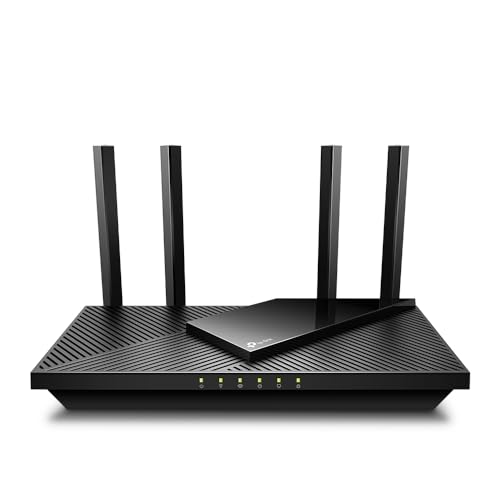
TP-Link AX1800 WiFi 6 Router (Archer AX21) – Dual Band

This TP-Link Archer AX21 is a fantastic entry point into the world of Wi-Fi 6, offering a significant upgrade for your home network without breaking the bank. It’s a reliable workhorse that brings faster speeds, increased capacity, and reduced network congestion, making it a stellar Spectrum compatible router for most households. If you’re looking to future-proof your network slightly and get more out of your Spectrum internet plan, this one’s a solid contender.
-
Key Features:
- Dual-Band WiFi 6 (802.11ax) technology for faster speeds and greater capacity.
- AX1800 total bandwidth (up to 1200 Mbps on 5 GHz and 574 Mbps on 2.4 GHz).
- OFDMA technology for connecting more devices simultaneously.
- Extensive coverage with Beamforming, 4 high-gain antennas, and FEM chipset.
- Supports OpenVPN Server and PPTP VPN Server.
- Works with all major internet service providers, including Spectrum.
- TP-Link’s commitment to cybersecurity.
-
Pros:
- Excellent value for a Wi-Fi 6 router.
- Good coverage for medium-sized homes.
- VPN server capabilities are a great bonus.
- Easy setup via the Tether app.
- Strong compatibility with Spectrum and other ISPs.
-
Cons:
- Doesn’t support the new 6 GHz band (Wi-Fi 6E/7).
- Performance can vary based on environmental factors.
-
User Impressions: Customers frequently praise the Archer AX21 for its straightforward setup, consistent performance, and noticeable speed improvements over older Wi-Fi 5 routers. Many appreciate the robust Wi-Fi coverage it provides across their homes.
NETGEAR 4-Stream WiFi 6 Router (R6700AX) – Router Only

The NETGEAR R6700AX is another strong performer offering a taste of Wi-Fi 6 speeds and efficiency. It’s designed to provide uninterrupted streaming, HD video gaming, and seamless web conferencing for up to 20 devices across a decent coverage area. If you already have a cable modem and just need a reliable, feature-packed router to connect to your Spectrum service, this NETGEAR option is a smart choice.
-
Key Features:
- Fast AX1800 Gigabit speed with WiFi 6 technology.
- Coverage up to 1,500 sq. ft. for up to 20 devices.
- Connects to your existing cable modem, compatible with any ISP up to 1 Gbps.
- 4 x 1 Gig Ethernet ports for wired devices.
- Built-in security measures and enhanced safety features from NETGEAR.
- Made for use in the U.S. only.
-
Pros:
- Solid Wi-Fi 6 performance for streaming and gaming.
- Good range for typical homes.
- Plenty of Gigabit Ethernet ports for wired connections.
- Reliable brand with security considerations.
-
Cons:
- It’s a router only, so a separate cable modem is required.
- Lacks the 6 GHz band of Wi-Fi 6E/7.
-
User Impressions: Users often highlight the R6700AX’s stable connection and improved speeds compared to their old routers. It’s considered a reliable and easy-to-set-up upgrade for those looking to get into Wi-Fi 6 without overspending.
TP-Link AXE5400 Tri-Band WiFi 6E Router (Archer AXE75)

Step into the future with the TP-Link Archer AXE75, a Tri-Band WiFi 6E router that unleashes the brand new 6 GHz band. This means more bandwidth, faster speeds, and near-zero latency, making it perfect for the most demanding applications like VR gaming, 8K streaming, and multi-user households. If you have a high-speed Spectrum internet plan and are ready for the cutting edge, this router is an excellent, future-proof investment.
-
Key Features:
- Tri-Band WiFi 6E (6 GHz, 5 GHz, 2.4 GHz) for up to 5400 Mbps total Wi-Fi speed.
- The 6 GHz band offers dedicated, congestion-free bandwidth.
- True Tri-Band and OFDMA technology for 4x increased capacity and simultaneous transmission to more devices.
- Powered by a 1.7 GHz Quad-Core CPU and 512 MB High-Speed Memory.
- OneMesh Supported for seamless whole-home coverage with extenders.
- VPN Server and Client support (OpenVPN/PPTP/L2TP).
- TP-Link HomeShield for premium network security and parental controls.
- Works with all internet service providers, including Spectrum (modem required).
-
Pros:
- Future-proof with Wi-Fi 6E and the 6 GHz band.
- Incredibly fast speeds and high capacity for many devices.
- Powerful processor for smooth performance.
- Comprehensive security features with HomeShield.
- OneMesh compatibility for scalable coverage.
-
Cons:
- You’ll need Wi-Fi 6E compatible devices to fully utilize the 6 GHz band.
- A premium router, reflected in the price.
-
User Impressions: Reviewers are impressed by the AXE75’s sheer speed and the noticeable reduction in latency, especially when using the 6 GHz band. It’s highly recommended for tech-forward users, gamers, and anyone with a dense network of devices.
NETGEAR Nighthawk Dual-Band WiFi 7 Router (RS90) – Router Only

For those who absolutely crave the latest and greatest, the NETGEAR Nighthawk RS90 brings Wi-Fi 7 to your home. This powerhouse offers an unprecedented leap in speed and efficiency, delivering up to 3.6 Gbps for unparalleled gaming, streaming, and video conferencing. With a sleek design and high-performance antennas, it’s ready to handle the demands of tomorrow’s internet today. If you’re a heavy user with a multi-gig Spectrum plan, this Nighthawk router is engineered to deliver top-tier performance.
-
Key Features:
- Cutting-edge WiFi 7 speeds up to 3.6 Gbps.
- 1.2x faster speeds than Wi-Fi 6, maximizing performance across all devices.
- Up to 2,000 sq. ft. of WiFi coverage with high-performance antennas.
- 2.5 Gig internet port for multi-gig speeds from your ISP.
- NETGEAR Armor for robust online security (30-day trial included).
- Easy setup and management via the Nighthawk app.
- Works with any ISP (Internet Service Provider), including Spectrum (modem required).
-
Pros:
- Leading-edge Wi-Fi 7 technology for ultimate speed and performance.
- Multi-gig internet port ready for the fastest Spectrum plans.
- Excellent coverage and sleek design.
- Advanced security features with NETGEAR Armor.
-
Cons:
- Very premium price point.
- Needs Wi-Fi 7 compatible devices to unlock full potential.
- Router only, requires a separate modem.
-
User Impressions: Early adopters rave about the RS90’s insane speeds and stability, especially in environments with many demanding devices. It’s seen as an investment in a future-proof network, perfect for enthusiasts and professionals.
TP-Link AC1200 WiFi Router (Archer A54) – Dual Band

If you’re on a tighter budget but still need a reliable upgrade for your Spectrum internet, the TP-Link Archer A54 is an excellent choice. This AC1200 dual-band router provides a solid foundation for everyday internet use, offering decent speeds for browsing, streaming, and light gaming. It’s perfect for smaller homes or apartments where you don’t need top-of-the-line performance but still want stable, secure Wi-Fi.
-
Key Features:
- Simultaneous 2.4GHz 300 Mbps and 5GHz 867 Mbps connections for 1200 Mbps total bandwidth.
- 4 external antennas for stable wireless connections and optimal coverage.
- Supports IGMP Proxy/Snooping, Bridge, and Tag VLAN for optimized IPTV streaming.
- Access Point Mode to transform wired connections into a wireless network.
- Advanced Security with WPA3, the latest Wi-Fi security protocol.
- Easy network management with the TP-Link Tether app.
- Expandable WiFi Coverage with EasyMesh Compatibility.
- Works with all internet service providers, including Spectrum (modem required).
-
Pros:
- Very affordable entry-level router.
- Includes modern features like WPA3 security and EasyMesh compatibility.
- Good coverage for smaller spaces.
- Easy to set up and manage.
-
Cons:
- Wi-Fi 5 (AC) standard, so not as fast or efficient as Wi-Fi 6/6E/7.
- May struggle with very high-speed Spectrum plans or many demanding devices.
-
User Impressions: Customers love the Archer A54 for its simplicity, affordability, and reliable performance for basic internet needs. It’s often recommended as a significant upgrade over older, ISP-provided routers without a hefty price tag.
TP-Link AC1900 Smart WiFi Router (Archer A8) -High Speed

The TP-Link Archer A8 strikes a great balance between performance and price, offering robust AC1900 Wi-Fi speeds that are ideal for most Spectrum internet plans up to 1 Gigabit. With Wave 2 Wireless technology, MU-MIMO, and Beamforming, it’s designed to deliver efficient, wide-ranging Wi-Fi to multiple devices simultaneously. If you’re looking for a solid mid-range Spectrum compatible router that can handle a busy household, the Archer A8 is a smart bet.
-
Key Features:
- AC1900 speeds: 600 Mbps on 2.4GHz and 1300 Mbps on 5GHz.
- Wave 2 Wireless Internet Router with MU-MIMO for efficient multi-device communication.
- Boosted WiFi Coverage with Beamforming technology.
- OneMesh Compatible Router for seamless whole-home WiFi with extenders.
- Full Gigabit Ports (4 x LAN, 1 x WAN) for fast wired connections.
- Robust parental controls for managing internet access.
- Works with all internet service providers, including Spectrum (modem required).
-
Pros:
- Excellent performance for its price point (AC standard).
- MU-MIMO and Beamforming improve efficiency and coverage.
- OneMesh compatibility adds scalability.
- Full Gigabit Ethernet ports are great for wired devices.
- Effective parental controls.
-
Cons:
- No USB port.
- Not Wi-Fi 6, so lacks the latest efficiency improvements.
-
User Impressions: Users appreciate the Archer A8’s strong signal, reliable performance for streaming and gaming, and the value it offers. Its OneMesh feature is a hit for those looking to expand coverage without buying a whole new system.
TP-Link Dual-Band BE3600 Wi-Fi 7 Router Archer BE230

Future-proof your home with the TP-Link Archer BE230, a powerful Wi-Fi 7 router that brings blazing-fast BE3600 dual-band speeds and advanced features to your network. This router is designed to deliver enhanced performance across all your devices, offering faster speeds, increased reliability, and more data capacity thanks to Wi-Fi 7 technologies like Multi-Link Operation and 4K-QAM. It’s a fantastic choice for Spectrum users who demand top-tier speed and want their network ready for the next generation of devices.
-
Key Features:
- Powered by Wi-Fi 7 technology for Multi-Link Operation, Multi-RUs, and 4K-QAM.
- Blazing-fast 3.6 Gbps Dual-Band Wi-Fi 7 speed (2882 Mbps on 5 GHz, 688 Mbps on 2.4 GHz).
- Dual 2.5 Gbps Ports (1 WAN/LAN, 1 LAN) plus three 1 Gbps LAN ports for multi-gig wired speeds.
- Next-Gen 2.0 GHz Quad-Core Processor for high throughput and minimal latency.
- Enhanced Coverage with four high-performance antennas and Beamforming.
- Seamless Whole-Home Coverage with EasyMesh compatibility.
- TP-Link HomeShield for comprehensive network protection and parental controls.
- Easy setup with the Tether App and extensive compatibility (Alexa, Google Assistant).
- Backward compatible with all WiFi generations and works with any ISP (modem required).
-
Pros:
- Cutting-edge Wi-Fi 7 for ultimate speed and efficiency.
- Dual 2.5 Gbps ports break the 1G barrier for wired connections.
- Powerful quad-core processor handles heavy loads effortlessly.
- Excellent coverage and EasyMesh for scalability.
- Comprehensive security with HomeShield.
-
Cons:
- Premium investment, as Wi-Fi 7 is new technology.
- Not a tri-band router, despite the advanced Wi-Fi 7 features.
-
User Impressions: Users are thrilled with the BE230’s future-ready performance, especially the multi-gig port speeds and the noticeable boost for high-bandwidth activities. It’s highly praised for its robust performance and ease of use.
NETGEAR Nighthawk Modem Router Combo (CAX30) DOCSIS 3.1

If you’re tired of having a separate modem and router, the NETGEAR Nighthawk CAX30 is your all-in-one solution. This DOCSIS 3.1 cable modem and Wi-Fi 6 (AX2700) router combo unit not only saves you space but can also save you up to $168/year in equipment rental fees from Spectrum. It’s built for fast cable internet plans up to 2Gbps, providing excellent coverage and speed for up to 25 concurrent devices.
-
Key Features:
- Modem Router Combo unit, replacing both your cable modem and WiFi router.
- Compatible with major cable internet providers including Spectrum, Xfinity, and Cox.
- Best for cable provider plans up to 2Gbps.
- DOCSIS 3.1 and 32×8 channel bonding for multi-gig speeds.
- Coverage up to 2,000 sq. ft. and 25 concurrent devices with dual-band WiFi 6 (AX2700).
- 4 x 1 Gig Ethernet ports (supports port aggregation) and 1 USB 3.0 port.
- NETGEAR Armor for powerful online security (30-day trial included).
- Easy setup and management with the Nighthawk app.
-
Pros:
- Convenient all-in-one solution saves space and rental fees.
- High-speed DOCSIS 3.1 modem built-in.
- Robust Wi-Fi 6 (AX2700) performance.
- Good coverage and capacity for multiple devices.
- Plenty of wired ports and a USB 3.0 port.
-
Cons:
- NOT compatible with Verizon, AT&T, CenturyLink, DSL, fiber providers, or bundled voice services.
- If one part fails, you need to replace the whole unit.
-
User Impressions: Customers frequently commend the CAX30 for its ease of setup, strong Wi-Fi signal, and the significant savings from eliminating rental fees. It’s a popular choice for Spectrum users looking for a streamlined, high-performance internet solution.
TP-Link Dual-Band AX3000 Wi-Fi 6 Router Archer AX55

The TP-Link Archer AX55 is a powerhouse Wi-Fi 6 router, delivering next-gen AX3000 speeds that are perfect for maximizing your Spectrum internet connection. It’s designed for a more responsive experience, whether you’re gaming, streaming 4K video, or handling live feeds. With features like OFDMA, Beamforming, and an improved cooling design, this router ensures your network stays fast and reliable, even under heavy load. This is a top-tier Spectrum compatible router for demanding users.
-
Key Features:
- Next-Gen Gigabit Wi-Fi 6 Speeds: 2402 Mbps on 5 GHz and 574 Mbps on 2.4 GHz bands (AX3000 total).
- OFDMA technology for stronger Wi-Fi and reduced latency across multiple clients.
- Expanded Wi-Fi Coverage with 4 high-gain external antennas and Beamforming technology.
- Improved Battery Life for devices with Target Wake Time (TWT).
- Improved Cooling Design prevents heat-ups and throttles.
- Supports VPN server and VPN client.
- TP-Link HomeShield for premium network security and IoT protection.
- Compatible with Amazon Alexa for voice control.
- Works with all internet service providers, including Spectrum (modem required).
-
Pros:
- Very fast AX3000 Wi-Fi 6 speeds.
- OFDMA significantly improves multi-device performance.
- Excellent coverage and stability.
- Includes VPN server/client functionality.
- HomeShield provides robust security.
- Thoughtful cooling design for consistent performance.
-
Cons:
- Dual-band only, no 6 GHz band.
- No multi-gigabit WAN/LAN ports.
-
User Impressions: Users consistently report impressive speed boosts and a much more stable connection with the Archer AX55. It’s praised for handling numerous devices without slowdowns and being a great router for gaming and high-bandwidth activities.
TP-Link AC1200 Gigabit WiFi Router (Archer A6) – Dual Band

For an affordable yet capable router that offers full Gigabit wired connectivity, the TP-Link Archer A6 is an excellent option for Spectrum users. This dual-band AC1200 router significantly reduces buffering for 4K streams and ensures smooth online experiences. Its full Gigabit ports mean your wired devices like PCs and gaming consoles will get the fastest possible connection, making it a great all-around choice for homes needing reliable Wi-Fi and robust wired performance.
-
Key Features:
- Dual band AC1200 speeds: 300 Mbps for 2.4GHz and 900 Mbps for 5GHz.
- Full Gigabit Ports (4 LAN, 1 WAN) for fast wired connections.
- Boosted Coverage with four external antennas and Beamforming technology.
- MU-MIMO technology (on 5GHz band) for high speeds to multiple devices simultaneously.
- Access Point Mode to convert wired connections to wireless.
- Advanced Security with WPA3, the latest Wi-Fi security protocol.
- TP-Link OneMesh for seamless whole-home coverage with a compatible extender.
- Works with all internet service providers, including Spectrum (modem required).
-
Pros:
- Affordable with full Gigabit wired ports.
- WPA3 security is a valuable addition.
- MU-MIMO and Beamforming enhance performance and coverage.
- OneMesh compatibility for future expansion.
- Great value for basic to mid-range Spectrum plans.
-
Cons:
- Wi-Fi 5 (AC) standard, not as advanced as Wi-Fi 6/6E/7.
- Not ideal for very large homes or extremely high-speed internet plans (1 Gig+).
-
User Impressions: The Archer A6 is highly rated for its reliable performance, especially for its price. Users frequently highlight the benefit of its Gigabit ports for gaming and the overall stability of its Wi-Fi signal in average-sized homes.
Conclusion
Upgrading to your own Spectrum compatible router is one of the best ways to take control of your home network, boost your internet performance, and save some money in the long run. From budget-friendly Wi-Fi 5 options like the TP-Link Archer A54 to cutting-edge Wi-Fi 7 powerhouses like the NETGEAR Nighthawk RS90, there’s a perfect router out there for every Spectrum customer and every need.
When making your choice, think about your current Spectrum internet speed plan, the size of your home, and how many devices you typically have connected. Don’t forget to consider future needs—a router with Wi-Fi 6 or even Wi-Fi 7 might cost a bit more upfront but will serve you well for years to come. Ultimately, the right router will provide a seamless, faster, and more reliable internet experience that truly maximizes your Spectrum service. Happy surfing!
Frequently Asked Questions (FAQs)
Q1: Do I really need a “Spectrum compatible router”? Can’t I just use any router?
A: While many routers will technically “work” with Spectrum, using a truly compatible router ensures optimal performance. The routers listed here are verified to work seamlessly with Spectrum’s service, allowing you to maximize your internet speeds and enjoy all your plan’s benefits. Also, choosing your own router lets you avoid monthly rental fees!
Q2: What’s the best Wi-Fi standard for Spectrum internet?
A: For most Spectrum plans (especially those 500 Mbps and above), a Wi-Fi 6 (802.11ax) router is highly recommended for its efficiency and speed. If you have a gigabit or multi-gigabit plan and compatible devices, Wi-Fi 6E (with its 6 GHz band) or even the newer Wi-Fi 7 will provide the best possible experience by reducing congestion and boosting speeds even further.
Q3: How do I know if a router is compatible with Spectrum?
A: Generally, most modern routers are compatible with Spectrum’s service, as long as they connect to a separate cable modem. Look for routers that explicitly state “Works with all internet service providers” or specifically mention Spectrum, Xfinity, Cox, etc. If you’re buying a modem/router combo, it MUST be DOCSIS 3.1 compatible and specifically listed as compatible with Spectrum.
Q4: What’s the difference between a modem and a router?
A: A modem (Modulator-Demodulator) connects your home network to your Internet Service Provider (ISP), like Spectrum. It translates the internet signal from the coaxial cable into a format your devices can understand. A router creates a local network within your home, allowing all your devices (computers, phones, smart TVs) to share that internet connection wirelessly (Wi-Fi) or via Ethernet cables. You need both for internet access, though some devices are a 2-in-1 modem/router combo.
Q5: Will a new router improve my Spectrum internet speed?
A: Yes, quite possibly! While a new router won’t increase the maximum speed of your Spectrum plan, it can certainly help you achieve those speeds more consistently. An older or lower-quality router might be a bottleneck, unable to handle your plan’s full bandwidth. A new, powerful router (especially Wi-Fi 6 or higher) can provide faster Wi-Fi speeds, better coverage, and handle more devices without slowdowns.
Q6: Should I get a modem/router combo or separate units for Spectrum?
A: Both options have pros and cons. A modem/router combo like the NETGEAR Nighthawk CAX30 saves space, simplifies setup, and often eliminates a rental fee. However, if one part breaks, you replace the whole unit. Separate modem and router units offer more flexibility for upgrades (you can upgrade just one component) and typically allow for more advanced features in the router. For most users, a combo unit is convenient, but power users might prefer separate components.
Q7: What is Wi-Fi 6, 6E, and 7 and why does it matter?
A: These are the latest generations of Wi-Fi technology.
* Wi-Fi 6 (802.11ax) offers faster speeds, better efficiency for multiple devices (using OFDMA and MU-MIMO), and improved battery life for connected gadgets compared to Wi-Fi 5. It’s great for gigabit internet.
* Wi-Fi 6E builds on Wi-Fi 6 by adding a new, uncongested 6 GHz frequency band. This provides a “fast lane” for compatible devices, leading to even lower latency and higher speeds.
* Wi-Fi 7 (802.11be) is the newest, promising even more drastic speed increases, lower latency, and enhanced reliability through technologies like Multi-Link Operation (MLO) and 4K-QAM. It’s designed for future multi-gigabit internet services.
Q8: How much coverage do I need for my home?
A: Coverage depends on your home’s size, layout (number of walls, materials), and the router’s power.
* Small apartment/home (up to 1,000 sq ft): An AC1200 or AX1800 router might suffice.
* Medium home (1,000-2,000 sq ft): Look for AX1800-AX3000 routers, ideally with Beamforming and strong antennas.
* Large home (2,000+ sq ft) or multi-story: Consider higher-end AX3000+ routers, Mesh Wi-Fi systems (many TP-Link routers here are EasyMesh compatible), or routers specifically designed for extensive coverage.



