Blog Posts

  • Zooming Ahead: The 10 Best High Speed WiFi Routers for Blazing-Fast Internet

    Zooming Ahead: The 10 Best High Speed WiFi Routers for Blazing-Fast Internet

    In today’s hyper-connected world, a slow internet connection can feel like a genuine impediment to modern life. Whether you’re a hardcore gamer, a remote worker, a 4K streaming enthusiast, or just trying to keep all your smart home devices online, having a reliable and incredibly fast internet connection is non-negotiable. And at the heart of

    Read more

  • 5 Best Routers for 2500 Sq Ft House: Uninterrupted Wi-Fi for Large Homes

    5 Best Routers for 2500 Sq Ft House: Uninterrupted Wi-Fi for Large Homes

    Having a large home is fantastic, but it can quickly turn into a digital nightmare if your Wi-Fi can’t keep up. Dead zones, slow streaming, and dropped video calls are frustrating realities for many homeowners with expansive spaces. If you’re tired of battling a spotty connection, it’s time to find the best router for 2500

    Read more

  • 10 Best Mesh Wifi for AT&T Fiber: Unleash Your Home’s Full Speed Potential

    10 Best Mesh Wifi for AT&T Fiber: Unleash Your Home’s Full Speed Potential

    Got AT&T Fiber and still dealing with WiFi dead spots or sluggish connections in certain rooms? You’re not alone! While AT&T Fiber delivers incredible internet speeds straight to your home, a single router often struggles to distribute that lightning-fast connection evenly across a larger house or one with challenging layouts. That’s where a fantastic mesh

    Read more

  • GRE over IPsec using MikroTik

    GRE over IPsec using MikroTik

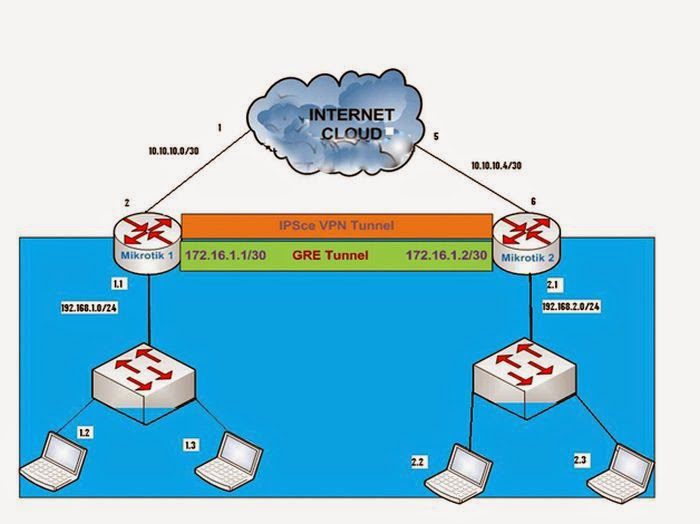
      Mikrotik-1GRE Tunnel and IP Address Configuration: MikroTik1> ip address add address=10.10.10.2/30 interface=ether1 MikroTik1> ip address add address=192.168.1.1/24 interface=ether5 MikroTik1> interface gre add name= gre-tunnel1 local-address=10.10.10.2 remote-address=10.10.10.6 MikroTik1> ip address add address=172.16.1.1/30 interface= gre-tunnel1   Mikrotik-1 Router IPSec VPN Configuration:  MikroTik-1>ip ipsec peer>add address=10.10.10.6/32:500 auth-method=pre-shared-key secret=”password” generate-policy=no exchange-mode=main send-initial-contact=yes nat-traversal=no proposal-check=obey hash-algorithm=sha1 enc-algorithm=3des dh-group=modp1024 lifetime=1d…

  • Port Forwarding in MikroTik

    Port Forwarding in MikroTik

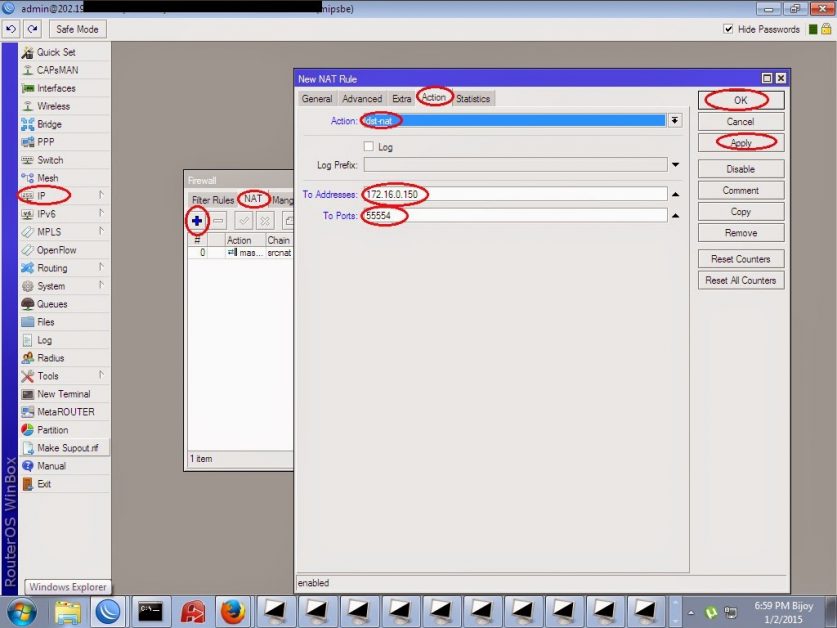
    Why Port forward is needed? Port forwarding is the process of forwarding a request to a public IP and a port number to a local IP. Works from LAN to local IP and from outside to public IP. Port forwarding is commonly used on servers to increase security. From the outside, many people scan different…

  • VPN Configuration step by step

    VPN Configuration step by step

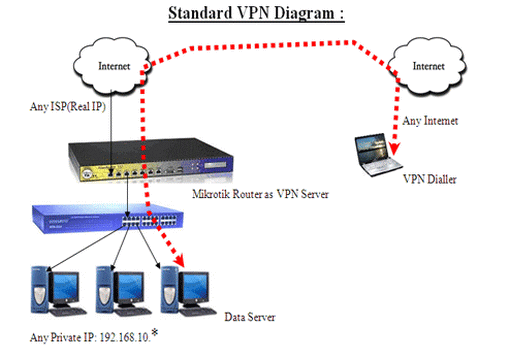
    Virtual Private Network (VPN): Virtual: Virtual means not genuine or in another state of being. In a VPN, private communication between 2 or many devices is accomplished through with a public network the Internet. Consequently, communication is virtually but not physically there. Private: Private means to hold something hidden from the universal public. While those…

  • MikroTik EoIP Tunnel Configuration step by step

    MikroTik EoIP Tunnel Configuration step by step

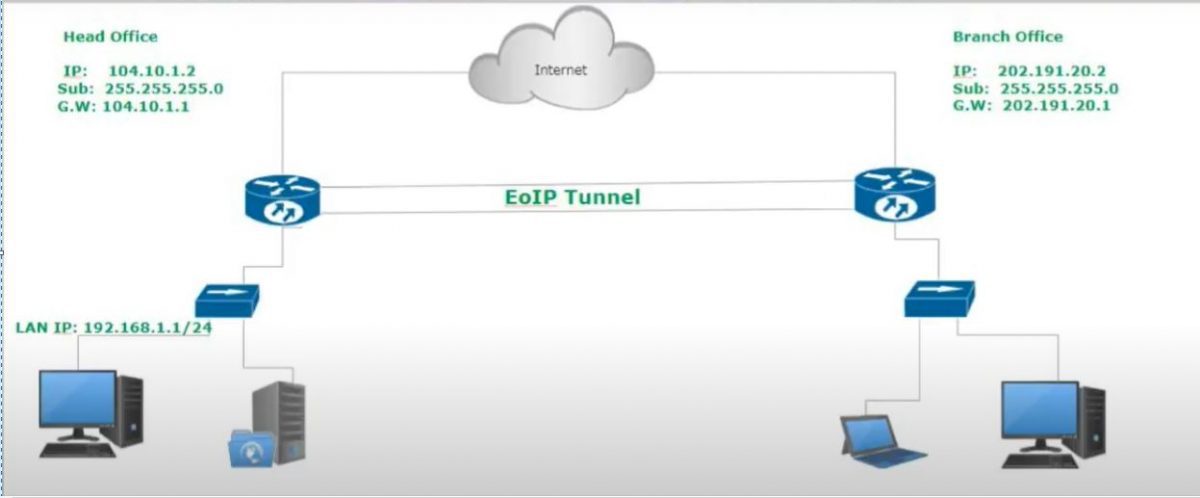
    Ether over internet protocol (EoIP): EoIP basically creates tunneling two routers. if you think one office USA and another office Canada but we want to share data from one office to another office then we can configure MikroTik EoIP tunnel. Ethernet tunnel creates between two Router of the branch office. Mikrotik is the best router…

  • Firewall configuration on MikroTik Router

    Firewall configuration on MikroTik Router

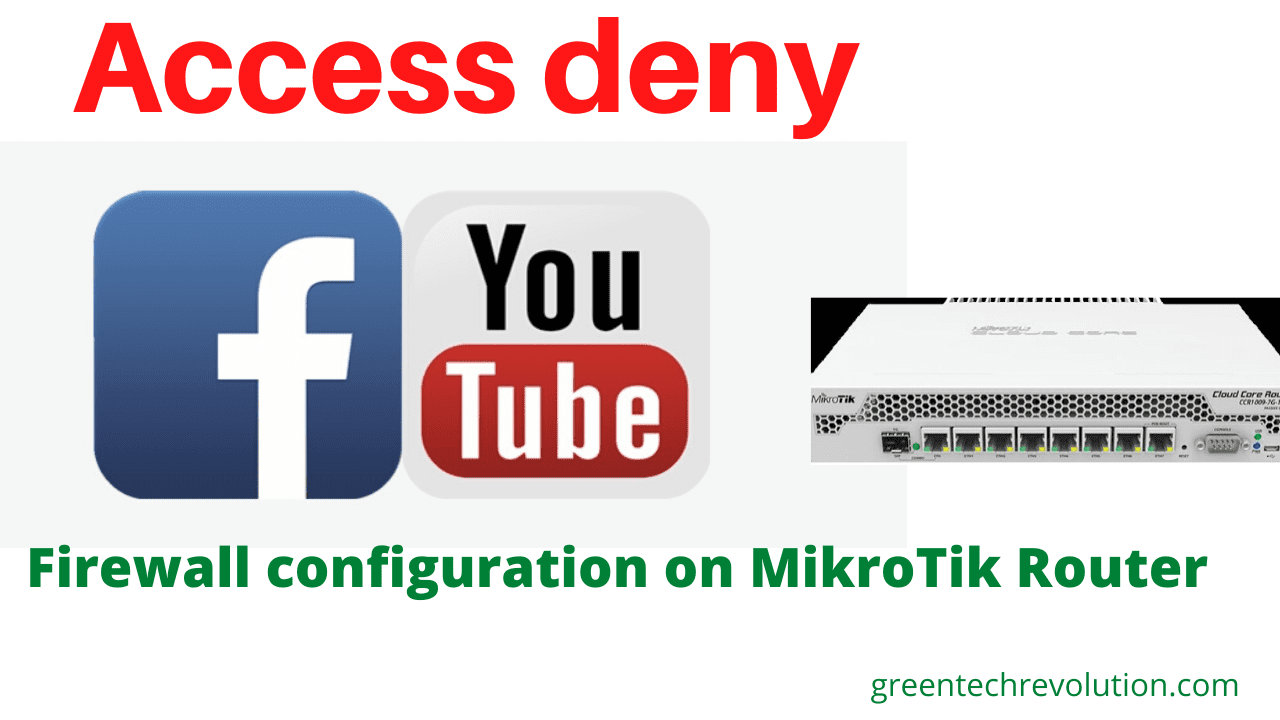
    In this digital age where cyber threats lurk around every virtual corner, safeguarding your network infrastructure has become crucial. One effective measure to protect your system from unauthorized access and malicious activities is by configuring a robust firewall. MikroTik Router, known for its powerful networking solutions, offers a comprehensive range of firewall features that can…

  • MikroTik configure IP address and gateway- Static IP Configure

    MikroTik configure IP address and gateway- Static IP Configure

    MikroTik configures IP address and gateway step by step: There are three ways we can configure MikroTik Router for WAN side. Basically Static, DHCP, PPPoE. Today we will configure static. ISP has  given IP address, subnet mask and Gateway such as IP address: 192.168.0.0/24,  Gateway: 192.168.0.1,  Subnet Mask: 255.255.255.0, so we can start configuration. WAN…

  • Bandwidth Control step by step with MikroTik router

    Bandwidth Control step by step with MikroTik router

    Bandwidth Control is the most important feature of MikroTik router. When we take the fixed Bandwidth form ISP and distribution Local area Network (LAN) sites. When we take 10 MB Bandwidth form ISP and I have 20 personal computers, then how I will distribute Bandwidth into every PC. For this reason, a Bandwidth control device…

  • MikroTik DHCP Server configuration

    MikroTik DHCP Server configuration

    MikroTik DHCP Server configuration DHCP(dynamic host control protocol): when ISP will give you DHCP service then you will set up below this way. WAN Site configure(step1-step2) Step1: IP > DHCP Client > ether3 >Apply >OK Step2: IP > DHCP Client + interface=ether3 > Apply > OK LAN Site Configure (Step1-Step2) Step1: IP > DHCP Server…