
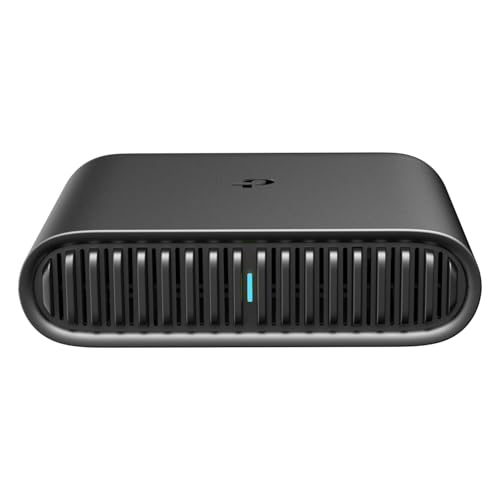
Let’s face it, in today’s always-on world, reliable internet access isn’t just a luxury – it’s a necessity, especially when you’re traveling. Whether you’re a digital nomad working from exotic locales, a family trying to keep the kids entertained on a road trip, or just someone who wants to stay in touch without huge roaming bills, a portable WiFi router can be your best friend. But with so many options out there, how do you pick the best portable WiFi router for travel?
Good news! We’ve done the legwork for you. In this guide, we’ll dive into what makes a great travel router and review our top five picks to help you find the perfect companion for your next adventure. Get ready to ditch those unreliable hotel Wi-Fi connections and enjoy secure, fast internet wherever your journey takes you.
Why You Need a Portable WiFi Router for Travel
Imagine trying to stream your favorite show, get some urgent work done, or simply browse social media, only to be met with slow, unsecured public Wi-Fi or eye-watering data roaming charges. That’s where a travel router swoops in to save the day!
- Security: Public Wi-Fi networks in airports, cafes, and hotels are often unsecured, making your devices vulnerable. A portable router acts as a personal firewall, creating a private, encrypted network for all your devices.
- Cost Savings: Avoid expensive international roaming fees or paying for multiple device connections at hotels. One portable router can share a single internet source (like an Ethernet port or a mobile hotspot) with all your gadgets.
- Convenience: Connect multiple devices simultaneously – your laptop, tablet, phone, and even smartwatches – all through one reliable connection. No more logging in each device separately to a captive portal!
- Consistency: Enjoy a consistent, often faster, internet experience than what’s typically offered by public networks.
What to Look for in a Portable Travel Router
When hunting for the best portable WiFi router for travel, consider these key features:
- Speed and Wi-Fi Standard: Look for modern standards like Wi-Fi 5 (AC) or even better, Wi-Fi 6 (AX) for faster speeds and better performance, especially if you’re streaming or video conferencing. Dual-band (2.4GHz and 5GHz) support is also crucial for flexibility.
- Security Features (VPN): A built-in VPN client (or server) is a massive plus for privacy, allowing you to encrypt your traffic and access geo-restricted content.
- Portability & Power: A compact, lightweight design that fits easily into your bag is essential. Consider how it’s powered – USB-C for power bank compatibility is a huge win.
- Connectivity Options: Does it have Ethernet ports (WAN/LAN)? Can it tether to your phone? Does it support 3G/4G USB modems? The more versatile, the better.
- Operating Modes: Most travel routers can act as a router, access point, range extender, or even a hotspot for public Wi-Fi. More modes mean more flexibility.
- Ease of Use: Nobody wants to spend their vacation troubleshooting tech. Look for intuitive apps and simple setup processes.
Our Top Picks for the Best Portable WiFi Router for Travel
Here are our top contenders for the best portable WiFi router for travel, designed to keep you connected and secure on your journeys.
TP-Link Ultra-Portable Wi-Fi 6 AX1500 Travel Router (TL-WR1502X)

This little dynamo from TP-Link packs a serious punch for its size, making it a fantastic choice for modern travelers. With Wi-Fi 6 (AX1500) technology, it delivers impressive speeds for all your streaming, downloading, and gaming needs. What really makes it stand out is its incredibly compact and durable design, perfect for tossing into any bag without a second thought. It’s super versatile with multiple operating modes and even lets you share files from a USB drive or your phone’s data connection, all powered conveniently via a USB-C port – even by a power bank!
Key Features:
– AX1500 Dual-Band Wi-Fi 6 for fast speeds (1201 Mbps on 5 GHz, 300 Mbps on 2.4 GHz)
– Ultra-portable and durable design (4.09 in. × 3.54 in. × 1.10 in.)
– Supports multiple modes: Router, Access Point, Range Extender, Hotspot, Client, 3/4G Modem Mode (requires USB modem)
– Easy file and internet sharing via USB port
– Power via Type-C interface, compatible with 9V/12V PD/QC power banks
– One-step Captive Portal authentication for public Wi-Fi
– Easy setup and management with the TP-Link Tether App
Pros:
– Excellent Wi-Fi 6 speeds for smooth performance
– Extremely compact and robust for travel
– Highly versatile with many operating modes
– Convenient USB file sharing and phone tethering
– Flexible power options, including power bank support
– Simplifies logging into public Wi-Fi portals
Cons:
– Not a Mi-Fi device; requires an external 3G/4G USB modem or phone for cellular data
– Does not support OpenWrt for advanced customization
User Impressions:
Users frequently praise this router for its surprising speed in such a small package and its ease of use when connecting to hotel Wi-Fi. The power bank compatibility is a huge hit, making it a true go-anywhere device for reliable internet.
GL.iNet GL-SFT1200 (Opal) Portable WiFi Travel Router, Mini

The GL.iNet Opal is a fantastic option for travelers who prioritize security and flexibility in a tiny form factor. This mini AC1200 dual-band router is incredibly lightweight, making it truly pocket-friendly. It shines with its full gigabit ports, which are a rarity in such a compact device, and comes with OpenVPN and WireGuard pre-installed for robust VPN protection right out of the box. Plus, it has a physical toggle switch to easily enable or disable your VPN, and its retractable antennas mean you can optimize your signal reception wherever you are.
Key Features:
– AC1200 Dual-band wireless speed (300 Mbps 2.4GHz + 867 Mbps 5GHz)
– Incredibly lightweight and pocket-friendly design (145g)
– Full Gigabit Ports (2x LAN, 1x WAN)
– OpenVPN & WireGuard pre-installed, compatible with 30+ VPN providers
– Cloudflare encryption for enhanced privacy
– Functions as a repeater for public Wi-Fi, creating a secure private network
– Physical toggle switch for easy VPN activation
– Retractable antennas for improved signal reception
Pros:
– Excellent VPN support with easy-to-use toggle switch
– Full gigabit Ethernet ports are great for wired connections
– Very lightweight and portable
– Effective as a public Wi-Fi repeater for secure browsing
– Retractable antennas help with signal strength
Cons:
– Uses Wi-Fi 5 (AC) rather than the newer Wi-Fi 6 standard
– Does not support “easytethering”
User Impressions:
Customers love the Opal for its strong VPN capabilities and its ability to turn flaky public Wi-Fi into a secure, private connection. Its small size combined with gigabit ports is a frequently highlighted advantage for business and leisure travelers alike.
TP-Link Dual-Band Wi-Fi 6 AX3000 Travel Router (TL-WR3002X)

For those who demand the absolute fastest and most secure internet experience on the road, the TP-Link TL-WR3002X is hands down one of the best portable WiFi router for travel choices. This is TP-Link’s fastest Wi-Fi 6 travel router, boasting AX3000 speeds that can handle up to 80 devices without breaking a sweat. Beyond its lightning-fast wireless, it features multi-gigabit connectivity with a 2.5 Gbps WAN/LAN port. With robust VPN client and server support, plus TP-Link’s commitment to cybersecurity, you’ll stay private and protected. Power it up easily via USB-C from various sources, making it incredibly flexible.
Key Features:
– AX3000 Dual-Band Wi-Fi 6 with speeds up to 2402 Mbps (5 GHz) and 574 Mbps (2.4 GHz)
– Supports Router Mode, Hotspot Mode (for secure public Wi-Fi), and AP/RE Mode
– Multi-Gigabit Connectivity: 1x 2.5 Gbps WAN/LAN and 1x 1 Gbps LAN ports
– Robust cybersecurity commitment (CISA Secure-by-Design pledge)
– 24/7 Secure Surfing with OpenVPN, WireGuard, PPTP, and L2TP VPN client/server support
– One-step Captive Portal Authentication via Tether App
– Flexible power options via USB-C (included adapter or 5V PD power bank)
Pros:
– Blazing-fast Wi-Fi 6 (AX3000) speeds
– Multi-gigabit Ethernet port for high-speed wired connections
– Comprehensive VPN client and server support
– Enhanced security features and corporate commitment
– Simplifies logging into public Wi-Fi for all devices
– Flexible power options, including power bank compatibility
Cons:
– Potentially overkill (and higher price) for casual users
– Slightly larger than some nano-routers due to performance focus
User Impressions:
Reviewers rave about the incredible speed and reliability of this router, especially when dealing with high-bandwidth tasks like 4K streaming or large downloads. The advanced VPN capabilities and multi-gigabit port are frequently praised by tech-savvy travelers and digital nomads.
GL.iNet GL-MT3000 (Beryl AX) Portable Travel Router, Pocket

The GL.iNet Beryl AX (GL-MT3000) is a powerhouse packed into a pocket-sized form, making it another top contender for the best portable WiFi router for travel for those who need serious performance and customization. This dual-band AX (Wi-Fi 6) router offers impressive speeds and features a 2.5G multi-gigabit WAN port, a gigabit LAN port, and a USB 3.0 port. It’s a dream for privacy enthusiasts with pre-installed OpenVPN and WireGuard, supporting VPN cascading and advanced security protocols like WPA3 and DNS over HTTPS/TLS. Plus, it runs on OpenWrt firmware, opening up a world of customization with thousands of plugins.
Key Features:
– Dual-band AX (Wi-Fi 6) with speeds up to 574Mbps (2.4G) + 2402Mbps (5G)
– 2.5G Multi-gigabit WAN port, 1G Gigabit LAN port, and USB 3.0 port
– OpenVPN and WireGuard pre-installed (VPN speeds: 150 Mbps OpenVPN, 300 Mbps WireGuard)
– Runs on OpenWrt 21.02 firmware, supporting 5,000+ plugins
– Enhanced network security: WPA3 protocol, DNS over HTTPS & DNS over TLS, IPv6
– VPN Cascading for simultaneous client and server operation
– Physical toggle switch for VPN or AdGuard Home activation
– Compact and travel-friendly design
Pros:
– Excellent Wi-Fi 6 speeds and multi-gigabit WAN port
– Robust and fast VPN performance with cascading capabilities
– OpenWrt firmware offers unparalleled customization
– Top-tier security features (WPA3, DNS encryption)
– USB 3.0 port for faster external drive access
– Physical toggle switch for easy feature control
Cons:
– VPN speeds, while good, might slightly bottleneck extremely fast connections.
– OpenWrt might be intimidating for absolute beginners (though GUI is user-friendly).
User Impressions:
Users are consistently impressed with the Beryl AX’s speed, especially its VPN performance and the flexibility offered by OpenWrt. It’s highly recommended by digital nomads and tech enthusiasts who value a secure, powerful, and customizable mobile hotspot for their travels.
TP-Link AC750 Wireless Portable Nano Travel Router

Sometimes, simplicity and extreme portability are all you need, and the TP-Link AC750 Nano Travel Router delivers exactly that. This tiny device is conveniently small and light, making it the ultimate grab-and-go option for any trip. Despite its miniature size, it offers dual-band AC750 Wi-Fi for a stable connection for streaming HD content or browsing on all your devices. With a simple switch to toggle between multiple modes (router, access point, range extender), and flexible power via a Micro USB port, it’s an incredibly practical and affordable choice for casual travelers.
Key Features:
– Travel-sized design: Ultra-small and lightweight
– Dual-Band AC750 Wi-Fi for strong, fast connections
– One-Switch for Multiple Modes: Router, Access Point, Range Extender
– Flexible Power: Micro USB port (adapter, portable charger, or laptop)
– Industry-leading 2-year warranty and 24/7 technical support
Pros:
– Extremely compact and lightweight, highly portable
– Very affordable and budget-friendly
– Simple one-switch operation for different modes
– Dual-band Wi-Fi provides decent speed for its class
– Flexible power options (can use a phone charger or power bank)
Cons:
– Wi-Fi 5 (AC750) is slower than Wi-Fi 6 (AX) options
– Uses Micro USB (older standard)
– Lacks advanced features like built-in VPN
– Fewer advanced ports compared to larger options
User Impressions:
Travelers often rave about the AC750 Nano’s incredible portability and ease of setup. It’s frequently recommended as a no-frills, reliable solution for turning an Ethernet connection into Wi-Fi or extending a weak signal in hotel rooms, all at a very attractive price point.
Conclusion
Choosing the best portable WiFi router for travel really boils down to your specific needs. If top-tier speed, advanced security like VPN client/server capabilities, and multi-gigabit ports are your priority, the TP-Link AX3000 or GL.iNet Beryl AX will serve you exceptionally well. These are perfect for digital nomads, remote workers, or anyone with multiple high-bandwidth devices.
For a great balance of Wi-Fi 6 speed, portability, and excellent features like power bank compatibility and simplified captive portal login, the TP-Link AX1500 is a fantastic all-rounder. If robust VPN features and gigabit wired connectivity in a super-light package are key, the GL.iNet Opal stands out. And for those on a tight budget who just need basic, reliable Wi-Fi in the smallest possible form factor, the TP-Link AC750 Nano is an unbeatable value.
Ultimately, investing in a good portable router means you’ll enjoy a more secure, flexible, and frustration-free internet experience wherever your adventures take you. Consider your travel style, the number of devices you’ll connect, and your budget, and you’re sure to find the perfect travel companion on this list.
FAQ
Q1: What is a portable WiFi router for travel?
A portable WiFi router for travel is a compact device that creates a private wireless network (Wi-Fi hotspot) by connecting to an existing internet source, such as an Ethernet cable (in a hotel), a public Wi-Fi signal (like in a cafe), or a 3G/4G USB modem. It allows you to share that internet connection with multiple devices securely.
Q2: Why can’t I just use my phone’s hotspot?
While your phone’s hotspot works, a dedicated portable router offers several advantages:
* Security: Many portable routers include VPN clients, offering much stronger security than a phone hotspot, especially on public Wi-Fi.
* Battery Life: Using your phone as a hotspot drains its battery quickly. A dedicated router has its own power source, preserving your phone’s battery.
* Connectivity: Routers often have Ethernet ports, allowing you to convert wired hotel internet into Wi-Fi, and can support more devices simultaneously.
* Features: Travel routers offer more advanced features like guest networks, parental controls, and extended Wi-Fi range.
Q3: Do portable WiFi routers need a SIM card?
Most portable Wi-Fi routers reviewed here do not have a built-in SIM card slot (they are not “Mi-Fi” devices). They typically get their internet connection from an Ethernet cable, an existing Wi-Fi network (acting as a repeater/extender), or by tethering to your smartphone’s mobile data via USB, or by connecting to an external 3G/4G USB modem. If you need cellular data directly, look specifically for a “mobile hotspot” or “Mi-Fi device” with a SIM card slot.
Q4: Is public Wi-Fi really that insecure?
Yes, public Wi-Fi networks are generally unencrypted, making it easy for malicious actors to intercept your data, including login credentials, emails, and other sensitive information. A portable Wi-Fi router, especially one with a built-in VPN, creates a secure, encrypted tunnel, protecting your privacy even when connected to an open public network.
Q5: What’s the difference between Wi-Fi 5 (AC) and Wi-Fi 6 (AX)?
Wi-Fi 6 (802.11ax) is the newest standard, offering significantly faster speeds, lower latency, and better performance in congested environments compared to Wi-Fi 5 (802.11ac). If you have many devices or stream a lot of high-definition content, Wi-Fi 6 will provide a smoother experience.
Q6: Can I use these routers to extend my home Wi-Fi signal?
Yes, many portable Wi-Fi routers have a “Repeater” or “Range Extender” mode that allows them to boost an existing Wi-Fi signal. This can be handy not just in hotels but also at home if you have a weak signal in certain areas.
Q7: What are VPN client and VPN server features?
- VPN Client: This allows your travel router to connect to a VPN service (like NordVPN, ExpressVPN, etc.). Once connected, all devices linked to the router will automatically route their internet traffic through the VPN, encrypting your data and masking your IP address.
- VPN Server: This feature allows you to connect to your travel router (and your home network, if you leave it at home) from a remote location, creating a secure tunnel back to your network. This is great for accessing files or devices on your home network while you’re away.
Q8: What does “Captive Portal Authentication” mean?
A captive portal is the web page you often see when connecting to public Wi-Fi in hotels, airports, or cafes, where you need to enter a room number, password, or agree to terms and conditions. Some portable routers simplify this process by allowing you to authenticate once through the router, then all your connected devices are automatically granted access without needing to re-authenticate individually.




Leave a Reply
You must be logged in to post a comment.