
Let’s face it: you’ve got Verizon Fios, one of the fastest and most reliable internet services out there. That fiber optic connection delivers blazing-fast speeds right to your home. But if you’re like most Fios users, you might find that your Wi-Fi signal doesn’t always live up to that potential, especially in larger homes or ones with lots of walls. Dead zones, buffering in certain rooms, and slow speeds far from your main router can be incredibly frustrating.
That’s where a fantastic mesh Wi-Fi system comes into play! A good mesh network can transform your Fios internet experience, blanketing your entire home with strong, consistent, and fast Wi-Fi. It’s not just about eliminating dead spots; it’s about ensuring all your smart devices, streaming services, and online gaming sessions run smoothly, no matter where you are in the house.
We’ve scoured the market to bring you our top picks for the best mesh Wi-Fi for Fios. We’ll break down what makes each system shine, so you can pick the perfect one to complement your incredible Fios internet.
Why Upgrade to Mesh Wi-Fi for Your Fios Connection?
Your Fios service is capable of incredible speeds, but a traditional single router can only do so much. Here’s why a mesh Wi-Fi system is a game-changer for Fios users:
- Whole-Home Coverage: Mesh systems use multiple nodes (or satellites) that work together to create a single, unified Wi-Fi network that covers every nook and cranny of your home. Say goodbye to those dreaded dead zones!
- Seamless Roaming: As you move through your house, your devices automatically connect to the strongest mesh node without dropping the connection. No more manually switching networks or experiencing interruptions during video calls.
- Consistent Speed: With nodes strategically placed, you get strong signal strength and higher speeds throughout your home, not just near the main router. This is crucial for maximizing your Fios fiber speeds.
- Reduced Congestion: Many mesh systems, especially tri-band ones, can dedicate a band specifically for communication between the mesh nodes (a “backhaul”), leaving the other bands free for your devices. This helps prevent bottlenecks.
- Easy Scalability: Need more coverage later? Just add another compatible mesh node to your existing system.
- Modern Features: Most new mesh systems come packed with features like advanced parental controls, robust cybersecurity, and easy setup via a smartphone app.
Key Considerations When Choosing Mesh Wi-Fi for Fios
Before you dive into our top recommendations, here are a few things to keep in mind to ensure you pick the best mesh Wi-Fi for Fios for your specific needs:
- Wi-Fi Standard (Wi-Fi 6 vs. Wi-Fi 7): Wi-Fi 6 (802.11ax) is the current standard, offering great speeds and efficiency for most homes. Wi-Fi 7 (802.11be), the newest generation, offers even faster speeds, lower latency, and more efficient handling of multiple devices, perfect for future-proofing your network, especially with high-gig Fios plans.
- Coverage Area: How large is your home? Mesh systems are sold in packs (2-pack, 3-pack, etc.) that indicate their intended coverage area. Always aim for slightly more coverage than you think you need.
- Number of Devices: How many smart devices, phones, tablets, and computers will be connected simultaneously? Some systems handle more devices efficiently than others.
- Band Type (Dual-band vs. Tri-band):
- Dual-band: Uses 2.4 GHz and 5 GHz frequencies. Affordable but the 5 GHz band is shared between your devices and the mesh nodes communicating with each other.
- Tri-band: Adds a second 5 GHz band (or 6 GHz for Wi-Fi 6E/7) specifically for the “backhaul” communication between mesh nodes. This often results in better performance and speeds, especially for high-speed Fios plans and larger homes.
- Ethernet Ports & Backhaul: Look for systems with Gigabit Ethernet ports if you have wired devices (gaming consoles, smart TVs) or want to use a wired backhaul for the mesh system itself. A wired backhaul offers the most stable and fastest connection between nodes.
- Security & Parental Controls: Modern mesh systems often include built-in security suites and robust parental control options, which are great for peace of mind.
- Ease of Setup: Most contemporary mesh systems boast incredibly simple setup processes via a dedicated smartphone app.
Our Top Picks: Best Mesh Wifi for Fios
Alright, let’s get into the good stuff! Here are our selections for the best mesh Wi-Fi systems that pair beautifully with your Fios internet.
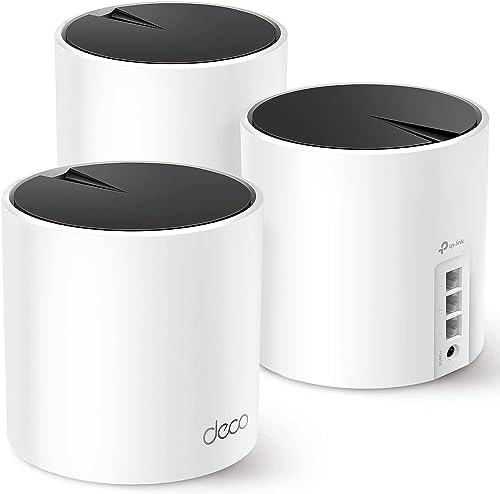
TP-Link Deco X55 AX3000 WiFi 6 Mesh System (3-Pack)

The TP-Link Deco X55 AX3000 is an excellent all-rounder for Fios users looking to upgrade to Wi-Fi 6 without breaking the bank. This 3-pack system is designed to blanket large homes with strong, consistent Wi-Fi, eliminating dead zones and ensuring all your devices stay connected. Its AI-Driven Mesh technology intelligently learns your home environment to deliver optimal performance, making it a smart choice for busy households.
-
Key Features
- Wi-Fi 6 Mesh Wi-Fi (AX3000) for next-gen speeds
- Whole Home WiFi Coverage up to 6500 sq ft
- Connects up to 150 devices reliably
- TP-Link HomeShield for network security and parental controls
- AI-Driven Mesh for optimized WiFi unique to your home
- 3 Gigabit Ethernet ports per unit (6 total for 2-pack, more for 3-pack)
- Easy setup and management via the Deco app
- Supports Wired Ethernet Backhaul for better speeds
- Compatible with all internet service providers (modem required)
-
Pros
- Excellent coverage for large homes
- Reliable Wi-Fi 6 performance
- Robust security features with HomeShield
- Plenty of Gigabit Ethernet ports
- Easy to set up and manage
-
Cons
- Not Wi-Fi 7, so not the absolute latest standard
- Dual-band system might see slightly more congestion than tri-band in very busy networks
User Impressions: Customers frequently praise the Deco X55 for its straightforward setup, impressive range, and stable connection. Many note a significant improvement in Wi-Fi reliability and speed across their entire home, especially when upgrading from an older single router or even a Fios-provided router.
TP-Link Deco 7 Pro BE63 Tri-Band WiFi 7 BE10000 Whole Home Mesh System

If you’re a Fios customer with a multi-gig internet plan or simply want to future-proof your home network with the absolute latest technology, the TP-Link Deco 7 Pro BE63 is calling your name. This powerhouse Wi-Fi 7 mesh system delivers mind-blowing speeds and incredible efficiency thanks to its cutting-edge Tri-Band technology and features like Multi-Link Operation and 320 MHz channels. It’s built for homes that demand nothing less than the best performance.
-
Key Features
- Supercharged Tri-Band Wi-Fi 7 BE10000 speeds (5188 Mbps 6GHz, 4324 Mbps 5GHz, 574 Mbps 2.4GHz)
- Vast Mesh Coverage up to 7,600 sq ft with the 3-pack
- Supports over 200 devices
- Four 2.5G WAN/LAN Ports and a USB 3.0 port
- Dual Wireless & Wired Backhaul for maximized Wi-Fi 7 benefits
- AI-Driven Seamless Roaming for optimal connection
- TP-Link HomeShield for comprehensive network protection
- VPN Client & Server Support for enhanced security and flexibility
- Easy setup via the Deco App and Voice Control (Alexa/Google Assistant)
-
Pros
- Bleeding-edge Wi-Fi 7 technology for ultimate speed and efficiency
- Exceptional coverage for the largest homes
- 2.5G ports future-proof your wired connections
- Dual backhaul ensures peak performance
- Advanced features like VPN support and HomeShield
- High device capacity
-
Cons
- Premium price point
- May be overkill for users without multi-gig Fios plans or a high number of demanding devices
User Impressions: Early adopters are raving about the unbelievable speeds and rock-solid stability of the Deco 7 Pro. Users with Fios multi-gig plans find that this system finally allows them to fully utilize their internet’s potential, even in previously problematic areas. The ease of setup, despite its advanced capabilities, is also a frequently highlighted positive.
Fios Tri‑Band Mesh Extender with Wi‑Fi 6 AX3000 Signal
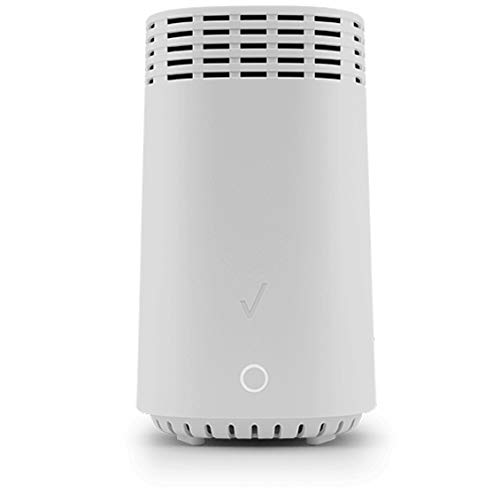
For Fios customers who already have a compatible Fios router and just need to expand their Wi-Fi coverage without replacing their entire setup, the official Fios Tri-Band Mesh Extender is an excellent choice. Designed for seamless integration, this extender uses Wi-Fi 6 and tri-band technology to boost your existing Fios Wi-Fi signal, banishing dead spots and ensuring a strong, consistent connection throughout your home.
-
Key Features
- High-Speed Wi-Fi 6 (802.11ax) Connectivity
- Seamless Mesh Network Expansion with existing Fios setup
- Tri-Band Technology (one 2.4 GHz and two 5 GHz bands)
- Easy Plug-and-Play Setup
- Supports Multiple Devices
- Includes two high-speed Gigabit Ethernet ports
-
Pros
- Direct and guaranteed compatibility with Fios routers
- Extremely simple, plug-and-play setup
- Tri-band technology helps with dedicated backhaul for better performance
- Adds Gigabit Ethernet ports for wired connections
- Cost-effective solution for extending Fios Wi-Fi
-
Cons
- Requires an existing Fios router; it’s an extender, not a standalone mesh system
- Coverage might not be as robust as a full mesh system replacement
- Less advanced features compared to third-party full mesh systems
User Impressions: Users love how effortlessly this extender integrates with their existing Fios network. Many appreciate not having to deal with complex configurations or different brand apps, making it a truly “set and forget” solution to extend their Wi-Fi range. The improved signal strength in previously weak areas is a common positive remark.
NETGEAR Orbi 370 Series Dual-Band WiFi 7 Mesh Network

The NETGEAR Orbi 370 Series brings the speed and efficiency of Wi-Fi 7 to a dual-band mesh system, offering a compelling blend of next-gen technology and Orbi’s renowned reliability. It’s an excellent option for Fios users who want to step into Wi-Fi 7 without necessarily needing the absolute top-tier tri-band configuration. This system is designed to handle multiple demanding activities like 4K streaming, video conferencing, and gaming simultaneously, ensuring a smooth experience for everyone.
-
Key Features
- WiFi 7 delivers speeds up to 5 Gbps
- 1.7x faster speeds than WiFi 6
- Fully backward compatible with older devices
- Built-in security measures with automatic firmware updates
- Advanced Router Protection for enhanced safety
- Orbi Dual-band technology with Enhanced Backhaul for reliable speeds
- Powers 4K streaming, video conferencing, and gaming simultaneously
-
Pros
- Early access to Wi-Fi 7 speeds and benefits
- Netgear’s reputation for robust, high-performance Orbi systems
- Enhanced backhaul for a dual-band system
- Strong focus on built-in security features
- Reliable for multiple simultaneous demanding tasks
-
Cons
- Dual-band only, which might limit performance compared to tri-band Wi-Fi 7 systems
- Potentially higher price point for a dual-band system
- May not offer the same ultra-wide coverage as some other systems
User Impressions: Orbi users often highlight the brand’s reliability and consistent performance. With the 370 series, customers appreciate getting a taste of Wi-Fi 7 speeds and improved handling of multiple devices, reporting noticeable upgrades in their streaming and gaming experiences with Fios.
Amazon eero 7 dual-band mesh Wi-Fi 7 router (2-pack)

Amazon’s eero 7 (2-pack) is a fantastic entry point into the world of Wi-Fi 7 mesh networks, especially for Fios users who value simplicity, reliability, and smart network management. Billed as an affordable Wi-Fi 7 router, it leverages eero’s patented TrueMesh software to minimize disruptions and deliver fast, reliable Wi-Fi across up to 4,000 sq. ft. It’s perfect for those who want next-gen performance without the complexity.
-
Key Features
- Our most affordable Wi-Fi 7 router
- Minimizes network disruptions with TrueMesh software
- Supports internet plans up to 2.5 Gbps with two auto-sensing 2.5 GbE ports
- Wireless speeds up to 1.8 Gbps
- 2-pack covers 4,000 sq. ft. and 120+ devices
- Backward compatible with all previous eero generations
- Leverages Wi-Fi 7 exclusive features like Multi-Link Operation (MLO)
- TrueRoam and TrueChannel for optimal connections
- Optional eero Plus subscription for Advanced Digital Security
-
Pros
- Accessible entry into Wi-Fi 7
- Excellent coverage for a 2-pack
- 2.5 GbE ports are a great addition for Fios multi-gig users
- eero’s TrueMesh software is highly regarded for reliability
- Simple, user-friendly setup and management
- Backward compatibility with older eero devices
-
Cons
- Dual-band only, not tri-band
- Advanced security features are part of an optional subscription
- Wireless speeds are capped at 1.8 Gbps
User Impressions: eero is consistently praised for its effortless setup and “it just works” reliability. Fios users find that the eero 7 system provides robust and consistent Wi-Fi, making the most of their fast internet, and the inclusion of 2.5 GbE ports is a significant plus for future-proofing and faster wired connections.
Amazon eero 7 dual-band mesh Wi-Fi 7 router (3-pack)

For larger homes or those with extensive Wi-Fi demands, the Amazon eero 7 (3-pack) offers the same compelling Wi-Fi 7 advantages as its 2-pack sibling but extends coverage to an impressive 6,000 sq. ft. This system is designed to provide comprehensive, fast, and stable Wi-Fi 7 performance across your entire living space, ensuring every corner gets a strong signal for your Fios connection.
-
Key Features
- Our most affordable Wi-Fi 7 router
- Minimizes network disruptions to ensure fast, reliable Wi-Fi
- Supports internet plans up to 2.5 Gbps with two auto-sensing 2.5 GbE ports
- Wireless speeds up to 1.8 Gbps
- 3-pack covers 6,000 sq. ft. and 120+ devices
- Backward compatible with all previous eero generations
- Leverages Wi-Fi 7 exclusive features like Multi-Link Operation (MLO)
- TrueMesh software, TrueRoam, and TrueChannel for optimal connections
- Optional eero Plus subscription for Advanced Digital Security
-
Pros
- Excellent value for Wi-Fi 7 technology
- Massive coverage for larger homes
- 2.5 GbE ports ideal for high-speed Fios plans
- eero’s user-friendly TrueMesh system
- Simple setup and robust performance
- Backward compatibility
-
Cons
- Dual-band only, which may be a consideration for very dense networks
- Full security features require an optional subscription
- Wireless speeds capped at 1.8 Gbps
User Impressions: Just like the 2-pack, the 3-pack eero 7 earns high marks for its ease of installation and consistent performance. Fios users with larger homes especially appreciate the extended coverage and the seamless experience provided by TrueMesh, noting the lack of dead spots and stable connections for all their devices.
TP-Link Deco X55 AX3000 WiFi 6 Mesh System (2-pack)

The TP-Link Deco X55 AX3000 (2-pack) offers a fantastic balance of performance and value for Fios users with medium to large homes. This system delivers reliable Wi-Fi 6 speeds and whole-home coverage up to 4,500 sq. ft., making it an ideal upgrade to eliminate those frustrating dead zones and buffering. With its smart AI-Driven Mesh and robust HomeShield security, it’s a solid choice for modern homes.
-
Key Features
- Wi-Fi 6 Mesh Wi-Fi – AX3000 whole home mesh system
- Whole Home WiFi Coverage up to 4500 sq ft
- Connects up to 150 devices with strong and reliable Wi-Fi
- TP-Link’s HomeShield premium security service included
- 3 Gigabit Ethernet ports per unit (6 total for 2-pack)
- Supports Wired Ethernet Backhaul for better speeds
- AI-Driven Mesh for an ideal WiFi unique to your home
- Easy setup and management via the Deco app
-
Pros
- Great coverage for typical medium to large homes
- Solid Wi-Fi 6 performance
- Comprehensive security features with HomeShield
- Plenty of Gigabit Ethernet ports
- Easy and intuitive setup process
-
Cons
- Not Wi-Fi 7 (though Wi-Fi 6 is still excellent for most)
- Dual-band, without a dedicated backhaul channel
User Impressions: Reviewers frequently commend the Deco X55 2-pack for its ease of installation and the dramatic improvement it brings to Wi-Fi coverage and stability. Many Fios customers report eliminating buffering issues and enjoying consistent speeds, even in rooms that were previously Wi-Fi black holes.
Conclusion
Choosing the best mesh Wi-Fi for Fios means finding a system that not only complements your blazing-fast fiber internet but also blankets your entire home with reliable, high-speed wireless coverage. Whether you’re aiming for the future-proof speeds of Wi-Fi 7 or the dependable performance of Wi-Fi 6, there’s a mesh system out there to meet your needs and budget.
From the cutting-edge TP-Link Deco 7 Pro to the user-friendly Amazon eero 7, or the Fios-specific extender for seamless integration, each of our top picks offers unique advantages. Remember to consider your home’s size, the number of devices you connect, and your budget when making your final decision.
Ultimately, investing in a quality mesh Wi-Fi system will transform your Fios experience, turning potential Wi-Fi frustrations into a consistent, fast, and enjoyable internet connection across every inch of your home. Say goodbye to dead zones and hello to uninterrupted streaming, gaming, and browsing!
FAQ
What is mesh Wi-Fi and how does it help Fios?
Mesh Wi-Fi is a system that uses multiple access points (nodes) placed around your home to create a single, unified Wi-Fi network. Unlike traditional range extenders, these nodes communicate with each other to provide seamless coverage. For Fios, it ensures that your high-speed fiber internet reaches every corner of your home reliably, eliminating dead zones and providing consistent speeds where a single Fios router might fall short.
Can I replace my Fios router with a mesh system?
Yes, in most cases, you can! Many mesh Wi-Fi systems are designed to function as the primary router, connecting directly to your Fios ONT (Optical Network Terminal). However, if you have Fios TV, you might need to keep the Fios router for TV guide data or configure your new mesh system in “Access Point” mode and connect it to the Fios router. Always check the specific requirements for your Fios setup.
Do I need a modem with my mesh Wi-Fi system for Fios?
No, Fios uses an ONT (Optical Network Terminal) to convert the fiber optic signal into an Ethernet connection. This ONT acts as your “modem.” Your mesh Wi-Fi system will connect directly to the ONT’s Ethernet port or to your existing Fios router (if you choose to keep it for Fios TV services).
What’s the difference between Wi-Fi 6 and Wi-Fi 7?
Wi-Fi 6 (802.11ax) is the current widely adopted standard, offering significant improvements in speed, efficiency, and capacity over Wi-Fi 5, especially in device-dense environments. Wi-Fi 7 (802.11be), also known as “Extremely High Throughput (EHT),” is the latest generation, offering even faster theoretical speeds, lower latency, greater capacity, and new features like Multi-Link Operation (MLO) and wider channel support (320 MHz). Wi-Fi 7 is designed to handle future multi-gigabit speeds and even more demanding applications.
How many mesh nodes do I need?
This depends on the size and layout of your home. As a general rule:
* Small homes/apartments (up to 1,500 sq ft): A 1-pack (a single unit) or a 2-pack might suffice.
* Medium homes (1,500-3,000 sq ft): A 2-pack system is usually ideal.
* Large homes (3,000-5,000 sq ft): A 3-pack is typically recommended.
* Very large homes (5,000+ sq ft): A 3-pack or more, possibly with additional nodes.
Consider obstacles like thick walls, multiple floors, and interference from other devices.
What are tri-band and dual-band systems?
These terms refer to the number of frequency bands a mesh system uses:
* Dual-band: Operates on two frequencies (2.4 GHz and 5 GHz). The 5 GHz band is often shared for both device connections and the “backhaul” (communication between mesh nodes), which can sometimes lead to congestion.
* Tri-band: Adds a third, dedicated band (usually another 5 GHz band or a 6 GHz band for Wi-Fi 6E/7) specifically for the backhaul. This dedicated channel prevents backhaul traffic from competing with your device connections, often resulting in faster, more stable performance, especially with high-speed Fios connections.
How does wired backhaul improve performance?
Wired backhaul means connecting your mesh nodes to each other (and to the main router) using Ethernet cables instead of Wi-Fi. This creates a highly stable, high-speed connection between the nodes, maximizing performance and reducing latency. It frees up the wireless bands entirely for your devices, which is especially beneficial for multi-gig Fios plans and demanding applications like 4K streaming and online gaming.
Is setting up a mesh Wi-Fi system difficult?
Not at all! Most modern mesh Wi-Fi systems are designed for incredibly easy setup. They typically involve downloading a smartphone app, plugging in the main unit, and following simple on-screen instructions to add additional nodes. Many systems can be up and running in under 15-20 minutes.
What about security features and parental controls?
Many mesh Wi-Fi systems come with advanced security features like network protection against malware and intrusions, guest networks, and robust parental controls that allow you to manage screen time, filter content, and monitor internet usage for different family members. Some brands offer these features as part of a free basic package, while others include more advanced options with a premium subscription.



