
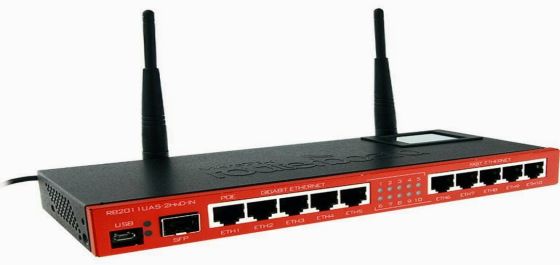
Bandwidth Control is the most important feature of MikroTik router. When we take the fixed Bandwidth form ISP and distribution Local area Network (LAN) sites. When we take 10 MB Bandwidth form ISP and I have 20 personal computers, then how I will distribute Bandwidth into every PC. For this reason, a Bandwidth control device is needed and MikroTik router is the most beautiful Bandwidth control device.
If we think that, there are lots of workers in an office and every person needs an internet Bandwidth but some people no need every time need Bandwidth and some people every time need Bandwidth as per his work, then we can fix Bandwidth. seems that we take 10MB Bandwidth form ISP and we will distribute it into 20 PC.
Every PC will get 512k if we do not distribute then some users use full Bandwidth and some users can not use proper Bandwidth even some users have no bandwidth for this reason Bandwidth control is needed. So we will show Bandwidth Control by MikroTik router step by step now.
Step1: open winbox > Queues > simple Queues > click plus > Name= queue1 > Target Address=192.168.0.5( N.B: your LAN site IP if you want to control Bandwidth against of unique PC or unique IP). Target upload, Max Limit=512k, Target Download, Max Limit=512k > Apply > OK

Step2: open winbox > Queues > simple Queues > click plus > Name= queue2 > Target Address=192.168.0.6( N.B: your LAN site IP if you want to control Bandwidth against of unique PC or unique IP). Target upload, Max Limit=512k, Target Download, Max Limit=512k > Apply > OK




Leave a Reply
You must be logged in to post a comment.